

Problemas con la cuenta y atención al cliente en My Empire Casino
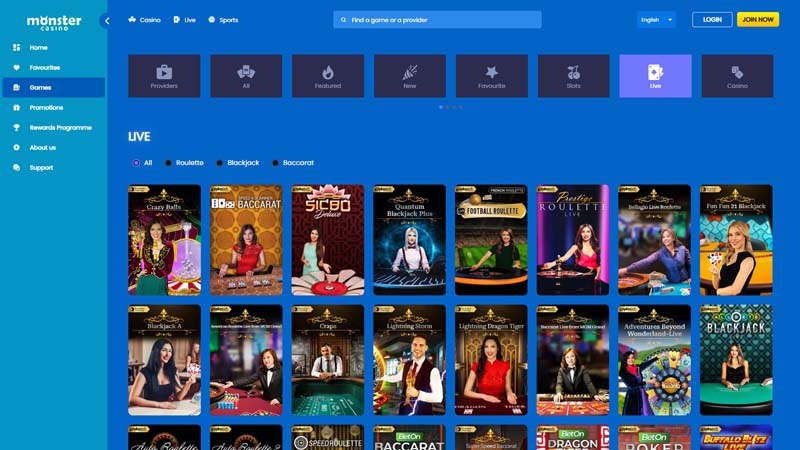
Opening an account takes only a few minutes, monsterwinκαζίνο top σύνδεση μέλους, but accuracy matters: the details you submit will be checked later. The registration form asks for your full legal name, date of birth, and Greek residential address, exactly as they appear on your official documents. You need to be at least 21 years old and physically in Greece. The platform uses geolocation to validate that. Have your Greek ID card or passport handy before you proceed.
Confirming Your Identity the Correct Way
Navigate to the verification centre from your dashboard. You’ll need a clear scan or photo of your Greek ID or passport, plus a current utility bill or bank statement (dated within the last three months) that shows your name and address. A DEH electricity bill is a great choice. If you used a card to deposit, you might be asked to upload a photo of the front, with only the last four digits visible and the CVV covered. συνεχίστε εδώ Reviews generally take 24 to 48 hours, and you’ll get an email with the outcome.
Paperwork Upload and Approval Timeline
Steer clear of common mistakes: make sure your casino account name matches your ID exactly, including any middle names or transliteration quirks. Double-check that your ID hasn’t expired; an expired document gets rejected. Use a flatbed scanner or a well-lit phone photo that captures all four corners. Blurry or cropped shots slow things down. If you’ve moved recently, update your address in your profile before you upload proof so everything is consistent.
Frequent Verification Pitfalls and How to Avoid Them
A strong password is a must, but two-factor authentication (2FA) adds a crucial extra layer. Monsterwin Casino supports 2FA through an authenticator app. Once you turn it on, logging in asks for your password and a one-time code from your phone. Even if someone steals your password, they can’t get in without your device. With mobile usage so high in Greece, 2FA is a natural fit. I highly recommend it.
Fixing Common Login and Account Issues
Login problems are typically straightforward to fix, and most don’t touch your funds. Before you reach support, go over this checklist. It resolves the bulk of situations in minutes, cutting down on time and stress.
Troubleshooting Checklist
- Verify Caps Lock is off and you are entering the password properly, special characters included.
- Delete your browser cache and cookies, or attempt an incognito window.
- Verify your internet connection and deactivate any VPN, as it can prevent geolocation.
- If you have 2FA, sync your authenticator app’s time settings. A clock mismatch leads to invalid codes.
- Check for maintenance announcements on the casino’s social media or status page.
If the issue persists, your account may be temporarily locked after excessive failed attempts. Wait 15 minutes and retry. If it is still locked, get in touch with live chat support. They can assist in Greek and will unlock your account after validating your identity. This process is uncomplicated and generally resolved quickly.
Your Monsterwin Casino account is a safe, customisable space that empowers you. Finish registration carefully, confirm your identity, activate 2FA, and establish responsible gaming limits to shield your funds and well-being. Log in now, check out the settings I mentioned, and carry out those small adjustments for enduring peace of mind. The tools are available. Utilizing them is the smartest move you can make, and it only needs a few minutes to secure your experience. I’ve seen many Greek players profit from these simple steps.
Tracking Your Movements with Openness
A clear transaction history assists you stay in control. Your account keeps a thorough log of credits, payouts, bonuses, and bets. Examine it weekly to identify patterns and modify your restrictions. For Greek players monitoring monthly spending, this is priceless. It maintains you within your entertainment budget.
Understanding Your Account Statement
The statement displays every transaction sequentially, with day, category, value, and your remaining funds after each one. Narrow by payment, payout, or a chosen date range. κάντε κλικ για λεπτομέρειες This comes in handy for tax reporting, since Greek residents may need to disclose gambling income. You can also follow bonus credits and wagering requirements. Download your statement as a PDF or CSV to keep for your records. All amounts are in euros.
Protecting Your Sign-in Beyond the Password
Turn on 2FA right after you validate your email. Access your security settings and choose to turn on it. Read the QR code with Google Authenticator or Authy. The app produces six-digit codes that update every 30 seconds. Input one to confirm. Store the backup recovery codes somewhere offline. These will let you regain access if you misplace your phone. I also advise checking the setup by logging out and back in.
Enabling Two-Factor Authentication
Aside from 2FA, adopt these habits:
- Don’t repeat your Monsterwin Casino password anywhere else.
- Disconnect after every session, especially on shared or public computers.
- Ensure your phone’s operating system and authenticator app up to date.
- Check the active sessions list in your account settings now and then, and close any you fail to recognize.
- Watch out for phishing emails. The casino will never ask for your password or 2FA code by email or SMS.
Configuring Your Account Settings for Safe Play
Your account settings function as a control centre for safe gaming. Monsterwin Casino gives you tools to configure financial limits, control session time, and pause. I suggest configuring these during your opening visit. Investing ten minutes here maintains safety and assists you to avoid overspending. The features are easy to tweak, and you can change them as your habits shift.
Deposit Limits and Reality Checks
Establish daily, weekly, or monthly deposit limits. Choose a reasonable amount to start. You can decrease it instantly, but raising it triggers a 24-hour cooling-off period to prevent impulsive decisions. Enable reality checks that appear at intervals you select (say, every 30 or 60 minutes), displaying your session time and balance. This is particularly useful during extended evening sessions, offering you a clear moment to pause and reflect.
Other tools include:
- Session time limits that promptly log you out after a set period.
- Loss limits that restrict how much you can lose in a day, week, or month.
- Wagering limits that limit total bets per day or week.
- Interim self-exclusion, from 24 hours up to six weeks.
- Lifetime self-exclusion to close your account for good.
Creating Your Monsterwin Casino Account from Greece
Kick off with an email you regularly monitor, then choose a username. After that, set up a password that complies with the platform’s strength rules. Complete your personal details: full name, gender, date of birth, and your address with postal code and prefecture. The mobile number field is set up for Greek numbers; just type your number starting with +30. Choose EUR as your currency to skip conversion fees. Verify everything before you hit submit.
Sign-up Form Walkthrough
Consider your password as your first line of protection. Make it at least twelve characters long, mixing uppercase, lowercase, numbers, and symbols. Steer clear of personal details like your name or birth year. Watch the strength meter and keep modifying until it displays a high score. Once you complete the form, a verification email appears in your inbox. Click the link to activate your account. If it doesn’t show up in a few minutes, examine your spam folder.
Creating Strong Login Credentials
Identity verification is required and secure. It safeguards both you and the casino under anti-money laundering rules. Doing it early grants higher deposit limits and accelerates your first withdrawal. I suggest starting KYC right after registration, even if you have no intention to withdraw immediately. This avoids delays when you desire fast access to your winnings.
Restoring Lost Access With No Stress

Losing your password affects everyone. The recovery system is quick and safe. On the login page, click ‘Forgot Password’ and enter your registered email. A reset link appears in under a minute. Avoid guessing passwords; too many wrong attempts can lead to a temporary lock.
Step-by-Step Password Reset
Click ‘Forgot Password’ on the login screen, type in your email, and submit. Access the reset link from your inbox right away. It times out quickly. Choose a new strong password, re-enter it, and log in. If you have 2FA turned on, you’ll still need your authenticator code, so your account is kept protected. The whole thing requires less than two minutes.
Steps If You Lose Access to Your Email
If you no longer have access to your email, contact support through live chat. You’ll need to verify your identity with your Greek ID or answer security questions. Some agents speak Greek and can assist update your email after alternative verification. This route takes longer, so it’s smart to secure your email with a recovery phone number to bypass the hassle.
Related posts